Posts

Showing posts with the label how to..

Fix iD Mobile (UK) Slow 4G/5G Speed Issue

Image
I recently got a new phone contract and switched to iD Mobile. Immediately, I noticed that the internet speed was much slower than my previous network. However, I found a fix online that resolved the problem. Hopefully, this will help some of you as well. Go to Settings > Network > Internet Set Private DNS > Off Restart the Phone.  Many thanks to this person for providing this solution ! ********* If you're planning a trip abroad soon, protect your personal information online by using a VPN service before connecting to public WiFi networks. This will also allow you to watch Netflix or use internet banking just like at home.  Get 63% off your VPN  cost today for less than £3/$5 a month.

Use Android Apps on PCs (BlueStacks)

Image
I stumbled upon a nifty solution while searching for ways to upload and organize my photos on Instagram directly from my PC. BlueStacks is an Android emulator that lets you install and use apps from the Google Play Store on your desktop, including Instagram. With BlueStacks, I can download Instagram like any other Android app and run it on my Windows laptop as if I was on a smartphone. But doing so opens up handy options like uploading photos from my filesystem and managing my profile on a big screen. Discovering BlueStacks gave me the ability to access Instagram on a PC with a few simple clicks. Installing BlueStacks: Downloading and installing BlueStacks is quick and easy. First, go to the BlueStacks website here   and click the download button. Be sure to select the version of BlueStacks for your Windows or Mac operating system. Once the download is complete, open the BlueStacks installer and follow the on-screen setup prompts. The installer will guide you through any additional...

How to Upload Photos from PC to Instagram

Image
Instagram is one of the most popular social media platforms for sharing photos and videos with your friends and followers. However, if you want to upload photos from your PC to Instagram, you might encounter some difficulties. Unlike the mobile app, the web version of Instagram does not have a direct option to upload photos from your PC. Fortunately, there are some workarounds that can help you post photos from your PC to Instagram without using any third-party software. In this blog post, I will show you two methods to upload photos from your PC to Instagram using your browser.   Method 1: Use the Developer Tools in Chrome or Firefox One of the easiest ways to upload photos from your PC to Instagram is to use the developer tools in Chrome or Firefox browsers. These tools allow you to simulate the mobile version of Instagram on your PC and access the upload option. Here are the steps to follow: Open Chrome or Firefox browser on your PC and go to https://www.instagram.com/. Log in t...

How to Add a Password to a Word Document

Image
  Here are the steps to add a password to a Word document in Microsoft Word: Open the document you want to protect and click on the "File" tab. Click on "Info" in the left pane. Click on "Protect Document" and then select "Encrypt with Password". Type in the password you want to use to protect the document in the "Password" field, and then click "OK". Confirm the password in the "Reenter password" field, and then click "OK". Photo by Towfiqu barbhuiya on Unsplash The document will now require the specified password to open, modify, or remove protection. It is important to note that password-protected documents in Microsoft Word cannot be recovered if the password is lost or forgotten, so it is recommended to store the password in a secure location.

SEO Optimization for Bloggers and Content Creators

Image
What is SEO and why it's important for bloggers and content creators SEO stands for Search Engine Optimization. It is the practice of optimizing your website or content to rank higher in search engine results pages (SERPs) for relevant keywords. This increases the visibility of your content and drives more traffic to your website. For bloggers and content creators, SEO is crucial because it helps your content get discovered by your target audience. Without SEO, your content may get lost in the vast sea of online content, making it difficult for your target audience to find you. Therefore, implementing SEO techniques can help boost your online presence and increase the visibility of your content. This guide is divided into several sections, each covering different aspects of SEO, and by the end of the guide, you will have a clear understanding of how to improve your website's visibility and discoverability by search engines. Click here to head over to my business blog to read th...

How to create hyperlink that jump to a specific section of your web page

Image
  What is A Jump Link A jump link is a link that 'jumps' to a specific section of a page on your website. How is A Jump Link Useful Anchor links or jump links are extremely useful in guiding users through long pages. By creating a table of contents at the top of your page with anchor links that link to different sections of your blog post, readers can easily find the exact information they need. This not only makes your page look more professional but also helps readers find the information they need faster. Additionally, providing a better user experience for your readers could potentially increase your website's authority as more people find it easy and convenient to use. How to create a Jump link To create a jump link, assign an object name to the section of the page you want to jump to, such as OBJECT_NAME. Then, view the HTML of your web page and add the following HTML code to the start of that section, just before the beginning of a paragraph or other content. <a i...

How to download videos from Tiktok

Image
Downloading TikTok videos is a breeze! First, select any video you'd like to download and copy its link from the page.  Next, navigate to https://savett.cc/ and past the link into the designated field. Finally, select the MP4 format and hit download. Voila! Your video will be saved to your device in no time. Make sure to give credit to the original creator when promoting someone else's content. Doing so demonstrates respect and encourages a culture of integrity and creativity. Want to save time and write reports or emails more effectively?  Try Jasper writing assistant today for free  with my link.

How to remove Tiktok watermark from Tiktok videos

Image
TikTok has taken the world by storm, with millions of users creating and sharing videos on the platform daily. However, while the app is known for its creative and fun content, many users also want to share their videos on other platforms without the watermark. Removing the TikTok watermark from videos is quite simple to do. This blog post will show you how to remove TikTok watermarks from your videos using a simple method and add more features to your videos. Step 1: Follow the instruction here to  download your video from Tiktok ; the downloaded video should have the watermark removed already.  Step 2: Now, to add more features and text to your video before sharing, head over to create  a free account on Canva . Canva allows users to edit videos for sharing on different platforms. Check out my Linktree for more trending products and services.

How to fix incorrect time display on Windows 11

Image
Here are the steps to fix the issue of incorrect time display on Windows 11: Open "Settings" and go to "Time & Language". Make sure the correct time zone is selected. Turn on the toggle switch for "Set time automatically". Click on "Sync now" to synchronize your computer with the internet time server. Once you have completed these steps, it may take up to 10 seconds for the system clock to update. If the time still appears incorrect after the first attempt, try clicking the "Sync now" button again. This should resolve the issue and ensure your computer displays the correct time.

How to Add and Verify Blogger on Google Search Console

Image
Here are the most straightforward instructions to get this to work. Watch this video. I got this done within 5 minutes. 

Simple Trick to Make Your Website Links Open in a New Tab

Image
If you take a look at the left-hand side of my blog, you'll find some highly recommended book links that will redirect you to external websites like Amazon or eBay. To ensure a smooth user experience, I have used the following method that will allow these links to open in a separate tab when clicked. The HTML code for embedding an external link typically appears like this. To have the linked page open in a new tab, merely add target="_blank  right after the website address enclosed in quotes. Simple as that!

How to redirect a single blog post to external URL

Image
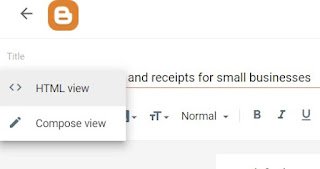
If you're looking to redirect website traffic from an outdated blog post to a new, external web address- such as a new blog- there's no need to fret, as the process is quick and straightforward. Go to the old blog post > click to edit > change into HTML view > and paste the following code at the bottom (changing the web address to your own). And you are done.  <script> window.location = "https://your external web site address here.com"; </script>

10 Things Not to Put into Your Dishwasher

Image
A dishwasher is a beloved appliance in many homes - it saves time, water, and energy. However, not everything is safe to put in there. It's important to determine which dishes and cookware are dishwasher safe and which aren't. Using the dishwasher incorrectly can result in damaged dishes and a shorter lifespan for your appliance (I have learnt it the hard way). In this blog post, we'll discuss 10 things you should never put in the dishwasher. 1. Cast Iron Cookware - Cast iron skillets and griddles are popular for their ability to distribute heat evenly. However, the high temperature and harsh detergents used in dishwashers can strip the natural oils and seasoning that give cast iron cookware its non-stick surface and distinct flavour. To preserve the quality of your cast iron cookware, it's best to avoid using dishwashers and instead opt for gentle hand washing with soap and water. 2. Crystal Glassware - Fragile crystal glasses are not designed for the rough-and-tumble ...

How to type a back slash (\) on the keyboard?

Image
I can relate to your frustration when you see the symbol on your keyboard, but your computer just won't type the \ character, no matter what you do. I've been there too, and I know how exhaustive it can be to look for different solutions online. So to help make things easier for you, I have a possible solution that worked for me in the past. Try this: Hold down the Alt key on your keyboard. While still holding the Alt key, press 9 on the number pad on your keyboard. Then, while still holding the Alt key, press 2 on the number pad on your keyboard. This should type the \ character onto your document. Hopefully, this solution will work for you too. This is mainly for people that are using a keyboard on a PC. If you are using a laptop then you shouldn't have the same issue. \ Are you curious about all the hype about AI?  Try Jasper writing assistant today for free .